
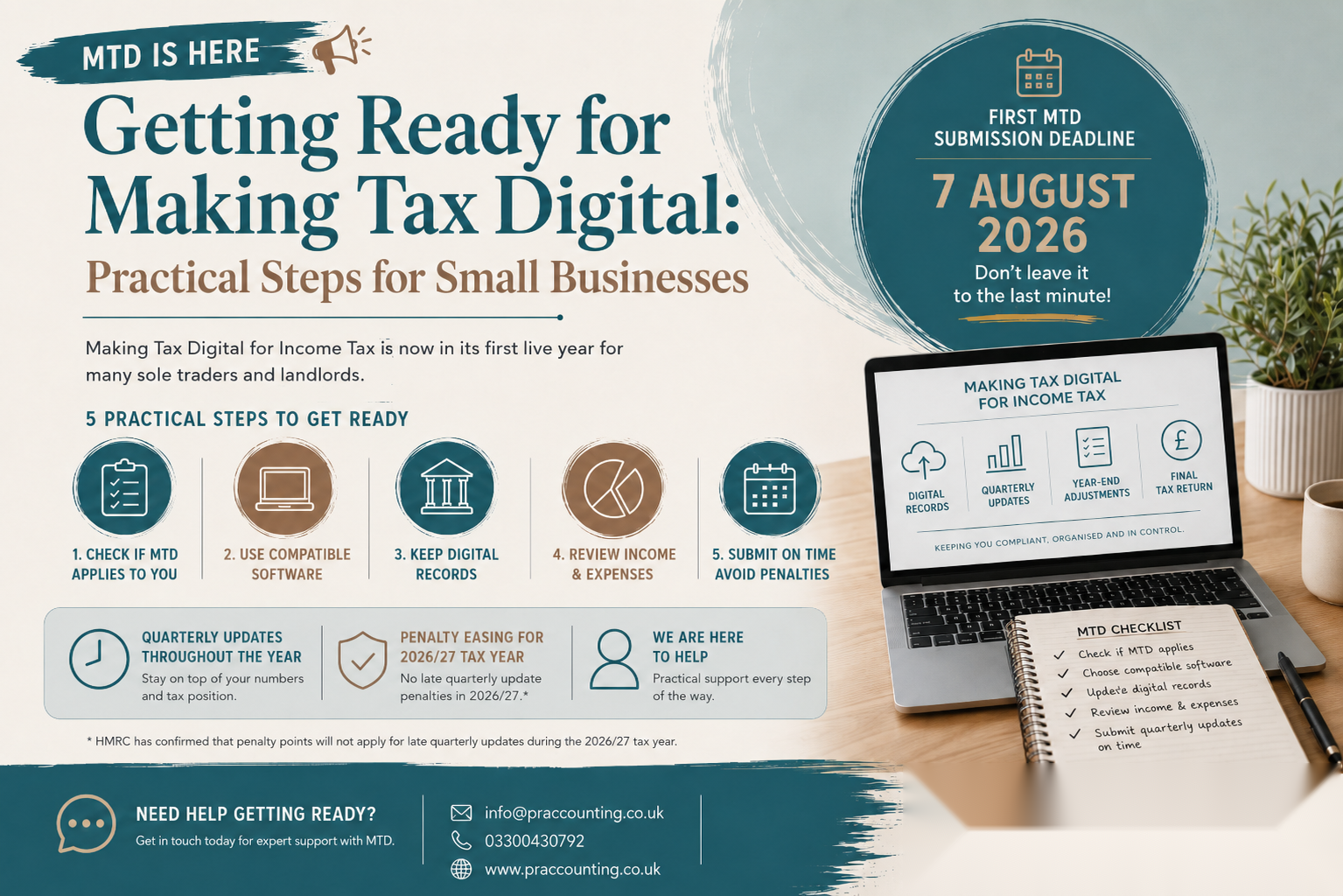
Getting Ready for Making Tax Digital: Practical Steps for Small Businesses
Making Tax Digital for Income Tax is no longer something in the distant future.
For many sole traders and landlords, it started from 6 April 2026, and the first quarterly submission deadline is now approaching.
The first Making Tax Digital quarterly update for the 2026/27 tax year is due by 7 August 2026.
This means affected taxpayers need to make sure their income and expenses are being recorded digitally and that their software is ready to send the required update to HMRC.
Making Tax Digital is not just a change in how tax returns are filed. It changes the way records are kept throughout the year.
Instead of pulling together figures once a year for Self Assessment, affected businesses and landlords need to maintain digital records and submit quarterly updates using compatible software.
For many small businesses, this is a good time to review bookkeeping habits, bank feeds, record keeping, software access and deadlines.
What is Making Tax Digital for Income Tax?
Making Tax Digital for Income Tax is a new way for certain sole traders and landlords to report income and expenses to HMRC.
If you are within the rules, you need to use compatible software to:
• Create and keep digital records.
• Record self-employment or property income and expenses.
• Send quarterly updates to HMRC.
• Make year-end adjustments.
• Submit your final tax return through compatible software.
• Pay any tax due by the usual Self Assessment deadline.
The key point is that MTD does not remove the need to calculate your final tax position.
Quarterly updates are part of the process, but they are not the same as a final tax return.
You will still need to include relevant year-end adjustments, other income, reliefs, allowances and final tax return information before your tax position is complete.
Who needs to use Making Tax Digital from April 2026?
From 6 April 2026, Making Tax Digital for Income Tax applies to individuals who meet all of the following conditions:
• They are registered for Self Assessment.
• They receive income from self-employment, property, or both.
• Their qualifying income is more than £50,000.
For MTD purposes, qualifying income generally looks at gross income from self-employment and property before deducting expenses.
This is an important point.
A sole trader with £60,000 turnover and £35,000 expenses may still be within MTD, even though their profit is much lower than £50,000.
A landlord may also be affected where gross rents push them above the threshold, even if mortgage interest and other costs reduce the cash profit significantly.
Future MTD thresholds
Making Tax Digital for Income Tax is being introduced in stages.
The current phase is:
• From 6 April 2026: those with qualifying income over £50,000.
The next phases are expected to be:
• From 6 April 2027: those with qualifying income over £30,000.
• From 6 April 2028: those with qualifying income over £20,000.
This means that even if you are not required to join in 2026/27, it may still be sensible to prepare early.
Many businesses will need to change how they keep records before they are legally required to submit under MTD.
The first MTD quarterly deadline
For those in the first MTD group, the first quarterly update deadline is 7 August 2026.
For standard tax-year update periods, the first update covers:
• 6 April 2026 to 5 July 2026.
The deadline for sending that first update is:
• 7 August 2026.
The later quarterly update deadlines are:
• Second update: 7 November 2026.
• Third update: 7 February 2027.
• Fourth update: 7 May 2027.
If you use calendar quarters, your first update may cover 1 April 2026 to 30 June 2026, but the deadline is still 7 August 2026.
Your software should be set up correctly before submitting your first update, because some choices cannot be changed for that tax year once an update has been sent.
What does a quarterly update include?
A quarterly update is a digital summary of income and expenses for the relevant period.
It is based on the digital records held in your compatible software.
The update will usually include totals by income and expense category.
It does not usually include every invoice, receipt or bank transaction as a separate attachment to HMRC. However, your digital records must support the totals submitted.
For many businesses, the quarterly update will include categories such as:
• Sales income.
• Other business income.
• Cost of goods or direct costs.
• Motor expenses.
• Travel expenses.
• Office costs.
• Software and subscriptions.
• Professional fees.
• Repairs and maintenance.
• Rent and property costs.
• Advertising and marketing.
• Bank charges and interest.
• Other allowable business expenses.
Landlords will need property income and expense records that support their rental figures.
Where property is jointly owned, the rules can require careful handling, especially where expenses are not included in earlier quarterly updates.
Does the first quarterly update mean tax is payable by 7 August?
No. The quarterly update itself does not mean you have to pay Income Tax by 7 August.
The usual Self Assessment payment deadlines continue to apply.
This means that, depending on your tax position, payments may still be due on:
• 31 January.
• 31 July.
However, quarterly updates may help estimate your tax position earlier in the year.
This can be useful for budgeting, especially where income has increased, profits are higher than expected or you are likely to have payments on account.
Practical step 1: check whether MTD applies to you
Do not assume MTD applies only because you are self-employed, and do not assume it does not apply because your profit is below the threshold.
Start by checking:
• Are you registered for Self Assessment?
• Do you receive sole trader income?
• Do you receive property income?
• What was your gross self-employment income?
• What was your gross property income?
• Do your qualifying income sources together exceed the relevant threshold?
• Have you received communication from HMRC about MTD?
• Does your accountant or tax agent need to sign you up?
If you have more than one sole trade or property business, the combined position needs to be reviewed.
Practical step 2: check your software
You need software that works with Making Tax Digital for Income Tax.
HMRC does not provide free software for MTD for Income Tax. You need to choose compatible software from an appropriate provider or use bridging software where suitable.
When reviewing software, check whether it can:
• Keep digital records.
• Connect to your business bank account.
• Record income and expenses properly.
• Handle sole trader records.
• Handle property income records.
• Deal with multiple income sources if needed.
• Submit quarterly updates to HMRC.
• Support year-end adjustments.
• Submit the final tax return.
• Allow your accountant or agent to access the records.
A bookkeeping app may be suitable for some businesses, but not every app will meet every need.
A landlord with several properties, a sole trader with mixed income or a business using spreadsheets may need a more considered setup.
Practical step 3: tidy your bookkeeping before submitting
The first quarterly update should not be treated as a last-minute task.
Before submitting, review whether:
• All bank feeds are connected and working.
• Sales invoices have been recorded.
• Cash income has been included.
• Platform income has been correctly recorded.
• Expenses have been categorised properly.
• Transfers between accounts have not been treated as income.
• Loan payments have been split correctly between capital and interest where relevant.
• Private expenses have been excluded.
• Business mileage has been recorded.
• Receipts and invoices have been attached or stored digitally.
• VAT has been treated correctly where applicable.
• Property income and expenses have been separated from trading income.
If the bookkeeping is untidy, the quarterly update may be based on unreliable figures.
MTD is only useful if the underlying records are accurate.
Practical step 4: separate business and personal spending
MTD will be much easier where business transactions are kept separate from personal spending.
A dedicated business bank account can help reduce errors and speed up bookkeeping.
This is especially important for:
• Sole traders using one account for everything.
• Landlords receiving rent into a personal current account.
• Businesses paying expenses from several cards.
• Owners making frequent personal withdrawals.
• Businesses with cash income.
• Operators using multiple platforms.
The cleaner the bank activity, the easier it is to prepare reliable digital records.
Practical step 5: keep digital evidence
MTD is not only about software. It is also about maintaining proper digital records.
You should keep digital evidence for:
• Sales invoices.
• Receipts.
• Supplier invoices.
• Bank statements.
• Letting agent statements.
• Mortgage interest statements.
• Mileage logs.
• Business use calculations.
• Home-working calculations.
• Platform statements.
• Loan documents.
• VAT records where applicable.
Good digital evidence makes it easier to support your figures if HMRC asks questions later.
It also helps your accountant identify whether costs are allowable, partly allowable or private.
Practical step 6: review income sources separately
Many taxpayers have more than one income source.
For example, you may have:
• A sole trade.
• Rental income.
• A second self-employed business.
• Joint property income.
• Employment income.
• Dividends.
• Bank interest.
• Pension income.
MTD quarterly updates focus on the relevant self-employment and property income sources.
However, your final tax return still needs to include your wider personal tax position.
This is why MTD does not remove the need for a proper year-end review.
Practical step 7: understand what still happens at the year-end
Quarterly updates are not the end of the process.
After the tax year ends, you may still need to make adjustments for:
• Accruals and prepayments.
• Stock and work in progress.
• Capital allowances.
• Private use adjustments.
• Use of home calculations.
• Mileage claims.
• Disallowable expenses.
• Property finance cost restrictions.
• Loss claims.
• Pension contributions.
• Gift Aid.
• Student loans.
• High Income Child Benefit Charge.
• Other income and gains.
The final tax return position is still due by 31 January following the end of the tax year.
For the 2026/27 tax year, the final tax return through MTD software is expected to be due by 31 January 2028.
Practical step 8: agree who is responsible
If you use an accountant, agree the process before the deadline.
Do not assume your accountant can submit quarterly updates without access to your software, records and authorisation.
You should clarify:
• Who will maintain the bookkeeping.
• Who will review the quarterly figures.
• Who will submit the quarterly updates.
• How often records should be updated.
• When bank reconciliations should be completed.
• What information you need to provide.
• How missing receipts will be handled.
• Whether the accountant or client will sign up for MTD.
• Whether software access has been granted.
This should be agreed before the first deadline.
Leaving it until early August may create unnecessary pressure.
Practical step 9: do not leave the first submission until the deadline
The first MTD submission deadline is 7 August 2026.
However, it is not sensible to wait until that date to check whether everything works.
Before the deadline, check:
• Your software is compatible.
• You are signed up correctly.
• HMRC authorisation is in place.
• Bank feeds are working.
• Transactions have been reviewed.
• Income and expenses have been categorised.
• Any missing records have been requested.
• Your accountant has access if needed.
• The correct update period has been selected.
• You understand what is being submitted.
The first submission is partly a compliance deadline and partly a systems test.
If something is wrong, you need time to fix it.
What happens if you miss an MTD quarterly update deadline?
HMRC has confirmed that penalty points will not apply for late quarterly updates during the 2026/27 tax year for those required to use MTD from 6 April 2026.
However, this should not be treated as permission to ignore the deadline.
You will still need to send the quarterly updates before submitting your final tax return.
Penalties can still apply for late tax returns and late tax payments.
After the 2026/27 tax year, late quarterly update penalties are expected to operate under a points-based system.
The practical message is simple: build the habit now.
Common MTD mistakes to avoid
Waiting until year-end
MTD is designed around regular digital record keeping.
Trying to recreate records once a year defeats the purpose and increases the risk of errors.
Using software that is not suitable
Not all bookkeeping software will fit every business.
Check that the software works for your income type, business structure and reporting needs.
Confusing turnover with profit
MTD thresholds are based on qualifying income, not taxable profit.
Ignoring property income
Landlords are within the MTD rules where qualifying property income and self-employment income exceed the relevant threshold.
Recording only bank deposits
Income should be recorded correctly, not simply based on what appears in the bank after deductions, commissions or platform fees.
Mixing personal and business spending
This makes bookkeeping slower, less reliable and more expensive to correct.
Assuming quarterly updates replace tax planning
Quarterly updates are not the same as tax planning.
You still need to review allowances, reliefs, payments on account and your final tax position.
How small businesses can prepare now
To get ready, small businesses and landlords should:
• Check whether MTD applies for 2026/27.
• Review whether MTD will apply from 2027/28 or 2028/29.
• Choose suitable compatible software.
• Connect bank feeds where appropriate.
• Clean up bookkeeping categories.
• Separate personal and business spending.
• Keep receipts and invoices digitally.
• Review income from all relevant sources.
• Agree responsibilities with your accountant.
• Prepare the first quarterly update before 7 August 2026.
• Review estimated tax throughout the year.
The businesses that adapt early are likely to find MTD much easier than those who wait until the deadline.
How PR Accountants Ltd can help
Making Tax Digital is not just a software issue. It affects bookkeeping, record keeping, quarterly reporting and tax planning.
PR Accountants Ltd helps sole traders, landlords and small businesses prepare for Making Tax Digital, choose appropriate software, keep digital records, review bookkeeping and submit tax information correctly.
The first MTD quarterly submission deadline is 7 August 2026.
If you are affected, now is the time to make sure your records and software are ready.
Contact us for practical support with Making Tax Digital and Self Assessment.
Related articles
• Payments on Account Explained for Self Assessment
• What Expenses Can You Claim as a Sole Trader?
• Self Assessment for Landlords: What Income Needs Reporting?